
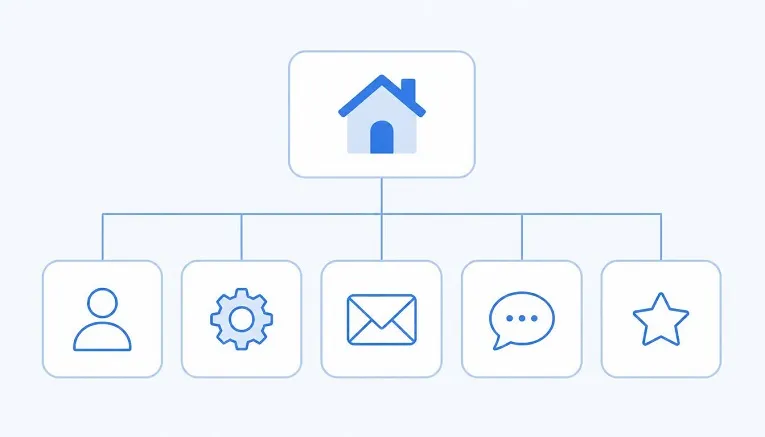
Services, Contact, done. That’s a reasonable starting point, but it
doesn’t tell you what actually needs to go on each page, which is
usually where small business sites fall short. A Contact page with
just a form isn’t the same as one that removes every reason a visitor
might hesitate to reach out.
Direct answer: most small business websites need
five to eight core pages: Home, About, Services or Products, Contact,
and an FAQ or Testimonials page, with a Blog and legal pages added if
relevant. What matters more than the count is what’s written on each
one, and that’s what most advice skips.
How many pages do you actually need?
There’s no universal number, but most small business sites do well
starting with five to eight pages and expanding as the business
grows. Fewer than that, and visitors often can’t find what they need.
More than that too early, especially with thin, half-written pages,
tends to dilute rather than strengthen the site. Start with the core
pages below, written properly, before adding extras.
1. Homepage
Your homepage has seconds to answer three questions: what do you
do, who is it for, and what should I do next. Don’t try to explain
everything here. A short, clear description of your main offer, a
professional image, and one obvious next step, such as “Get a Quote”
or “Book a Call”, outperform a homepage crammed with every service
you offer.
What to actually write: one sentence describing
what you do, one describing who it’s for, and a single clear call to
action above the fold, before a visitor has to scroll.
2. About
This page does more work than most business owners give it credit
for. People choose to work with businesses they trust, and this is
where trust gets built. Skip the generic mission statement and
include specifics: how long you’ve been operating, what makes your
approach different, and a photo of the actual people behind the
business if you can.
What to actually write: your story in plain
terms, why you started, what you do differently, and a note on your
experience or credentials if relevant. For a full walkthrough, see our guide on how to write an About Us page that converts.
3. Services or Products
This is where visitors decide whether you can solve their problem.
If you offer more than two or three distinct services, give each one
enough space to be genuinely useful rather than cramming them into a
single page. Group services logically if you have many, and link to
more detailed pages where it adds real value.
What to actually write: a clear description of
each service, who it’s for, and what the outcome looks like. Avoid
vague language like “solutions” that doesn’t actually say what you
do.
4. Contact
The most conversion-critical page on the site, and often the most
neglected. Include your phone number, email, and physical address if
relevant, alongside a simple contact form. State how quickly you
typically respond, since setting that expectation reduces the anxiety
of sending an enquiry into the void.
What to actually write: contact details, a
short-response-time note (“we usually reply within one business
day”), and if relevant, a map and opening hours.
5. FAQ or Testimonials
Pick whichever does more work for your business, or include both.
An FAQ page reduces friction by answering objections before they
become a reason not to enquire. A Testimonials page builds trust
through other people’s words rather than your own, which visitors
tend to find more persuasive.
What to actually write: real questions you’re
actually asked, answered honestly, or genuine testimonials with
enough detail to feel credible rather than generic.
Optional but valuable pages
| Page | Add if… |
|---|---|
| Blog | You want to build search visibility over time and can commit to publishing regularly |
| Portfolio or Case Studies | Your work is visual or project-based, such as design, building or events |
| Pricing | Your pricing is simple enough to state clearly, and doing so reduces unnecessary enquiries |
| Legal pages (privacy policy, terms) | You collect any personal data through forms, which in the UK is essentially always |
Pages you can safely skip early on
- A separate page for every minor service variation, better grouped
under one Services page until you genuinely need to split them out - A careers page with no current vacancies
- A press or media page with nothing to show yet
Thin, near-empty pages don’t just look unfinished, they can dilute
the strength of your genuinely useful pages in search results.
Common structural mistakes
- Too many top-level navigation items. If your
menu has more than six or seven items, visitors struggle to find what
matters. Group related pages under a single dropdown instead. - A homepage trying to do every page’s job at once.
Link out to dedicated pages rather than cramming everything onto
one. - No clear next step on any page. Every page
should end with an obvious action, whether that’s contacting you or
reading a related page.
What to do once your core pages are live
Building the pages is only the first step. Once they’re live, they
need regular
maintenance to stay accurate, since out-of-date pricing or old
promotions on these exact pages are what most commonly erode visitor
trust. If your existing pages already feel outdated rather than
missing, it’s also worth checking the signs it’s time for a
redesign rather than simply adding more pages on top of a
structure that isn’t working. For general design best practice once
your page list is settled, our guide to professional website design
tips covers the finer details of layout and usability.
FAQs
Do I need a blog for my small business website?
Not essential, but it’s one of the most reliable ways to build
long-term search visibility, provided you can commit to publishing
useful content regularly. A neglected blog with three posts from two
years ago does more harm than good.
How many pages should a small business website have to
start? Five to eight core pages is a solid starting point
for most small businesses. Add more only once each existing page is
genuinely complete and useful.
Should services and products be on the same page?
Only if you offer very few of them. Once you have more than two or
three distinct offerings, separate pages, or at least separate
sections, make it far easier for visitors to find what applies to
them.
Do I really need a privacy policy page? Yes, if
your site collects any personal data through a contact form,
newsletter signup or similar, which covers the vast majority of small
business sites operating in the UK.